Application form
 Appointment
- Contact Us
- Help by E-MAIL
- COPYRIGHT ©2023CVASC, ALL RIGHTS RESERVED
How to check or download the submitted application form on the visa center website?
2026-03-02

Updated on 2 Mar. 2026
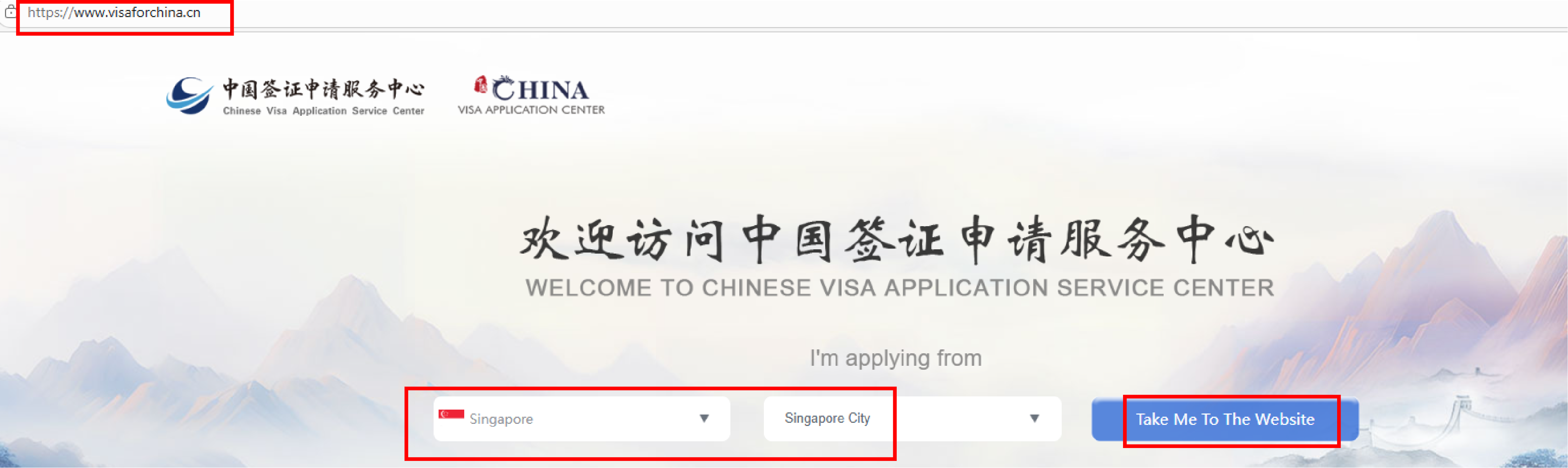
1. Enter the center website www.visaforchina.cn, then select 'Singapore', and click 'Take me to the website'.
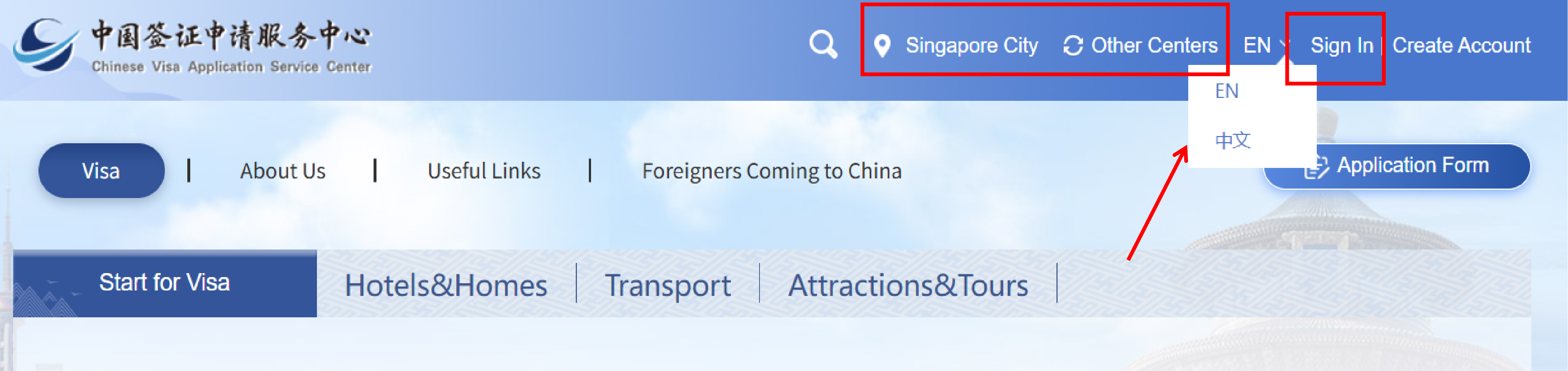
2. Please confirm that you are logging into the 'Singapore' center page. If not, please click 'Other Centers' to re-select. Switch between Chinese and English as needed.
Click 'Sign in'.
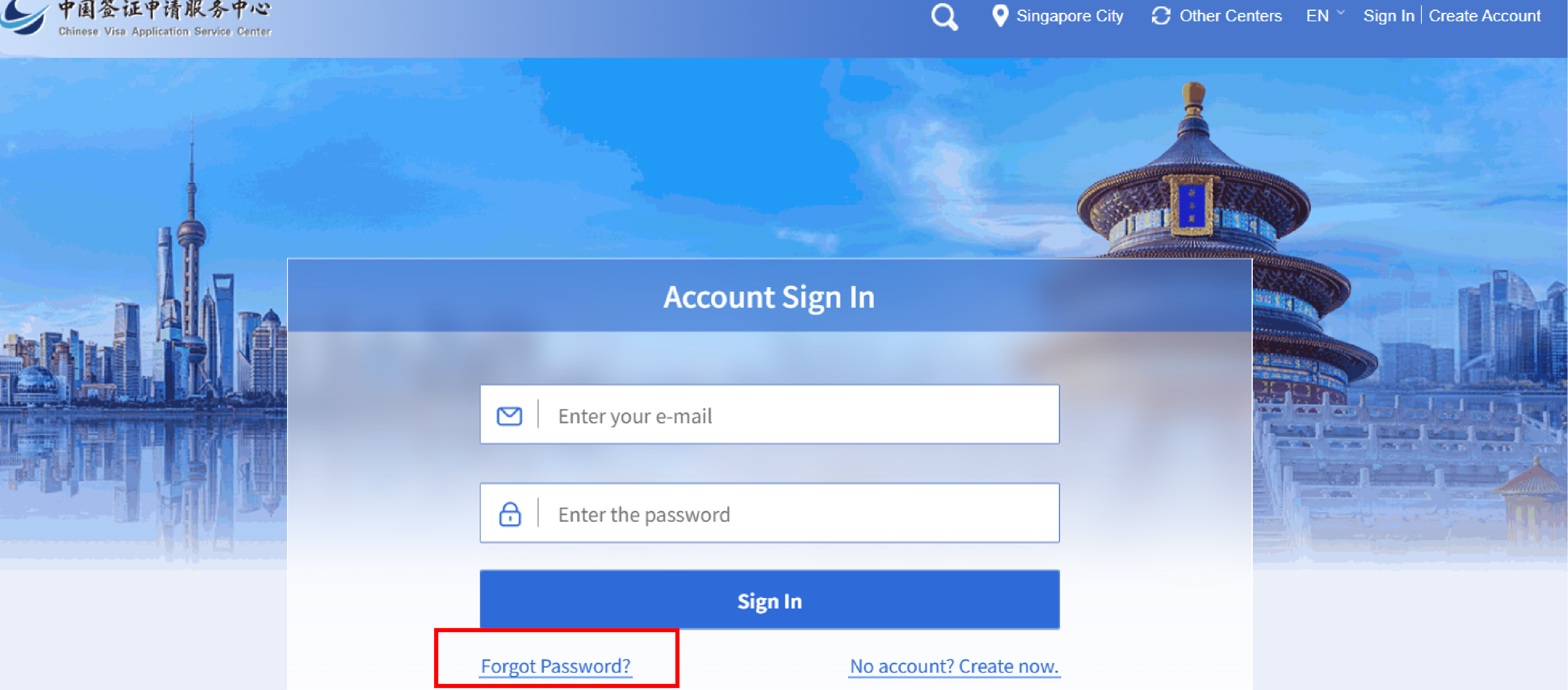
3. Enter the email and password used during registration.
If you forget your password, please reset it by using 'Forgot Password?'.
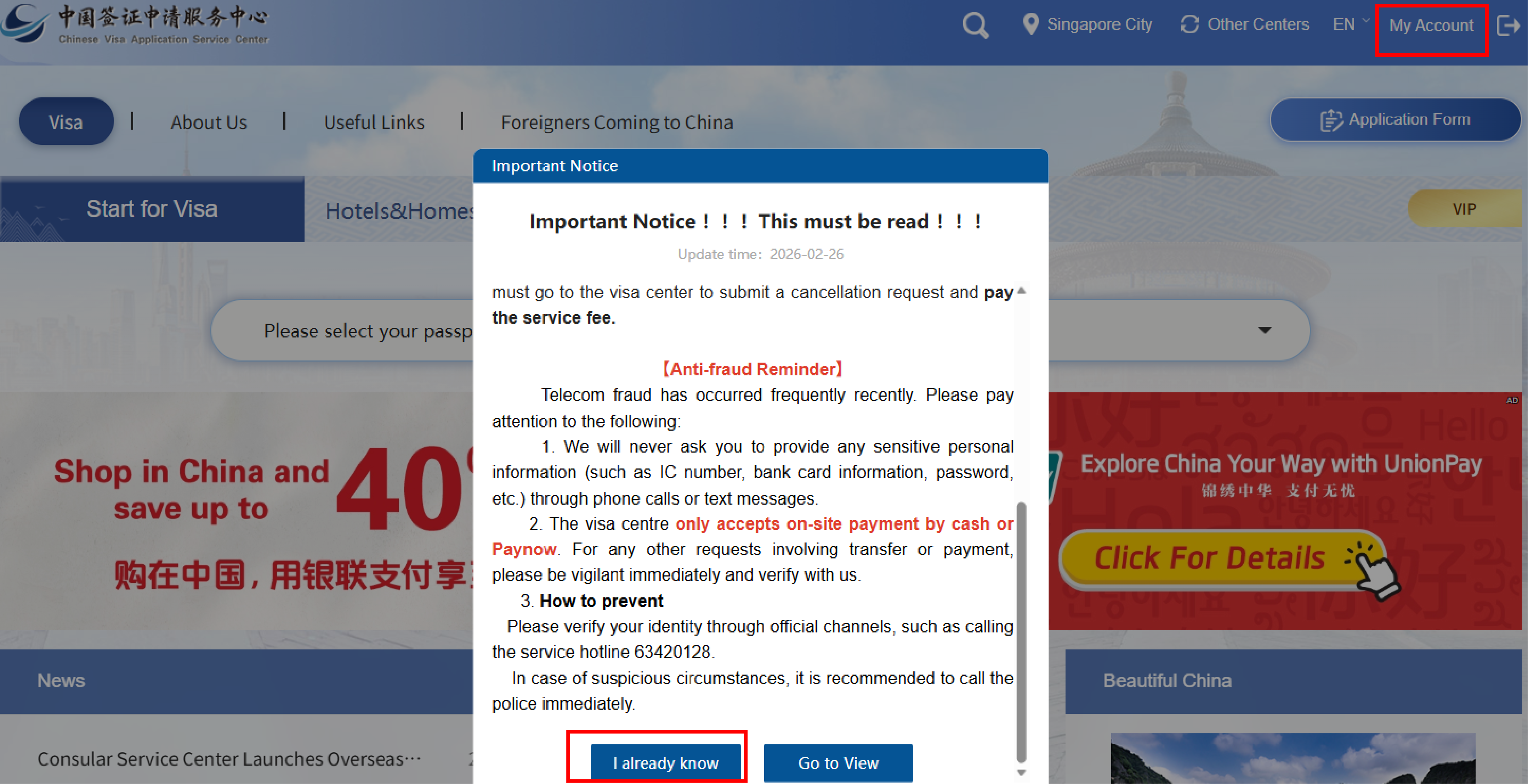
4. After carefully reading the content of the pop-up, click 'I already know', and then click 'My Account' .
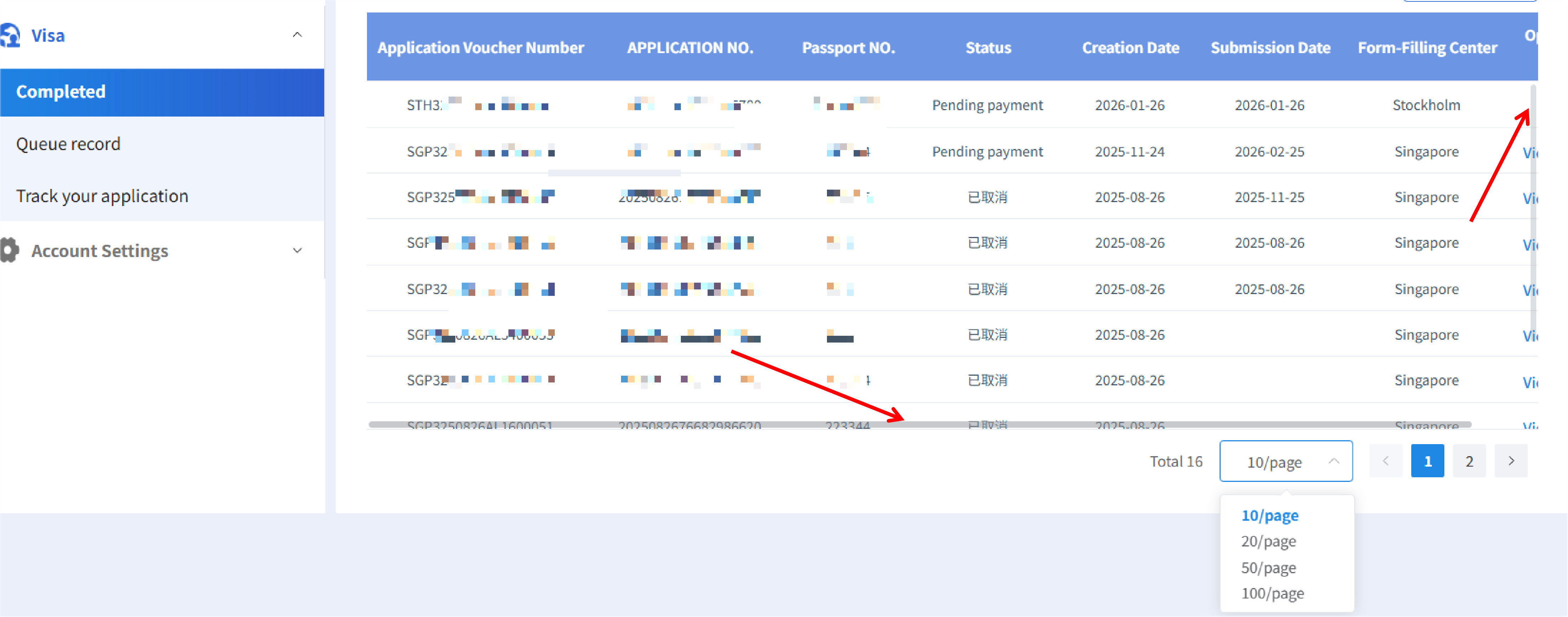
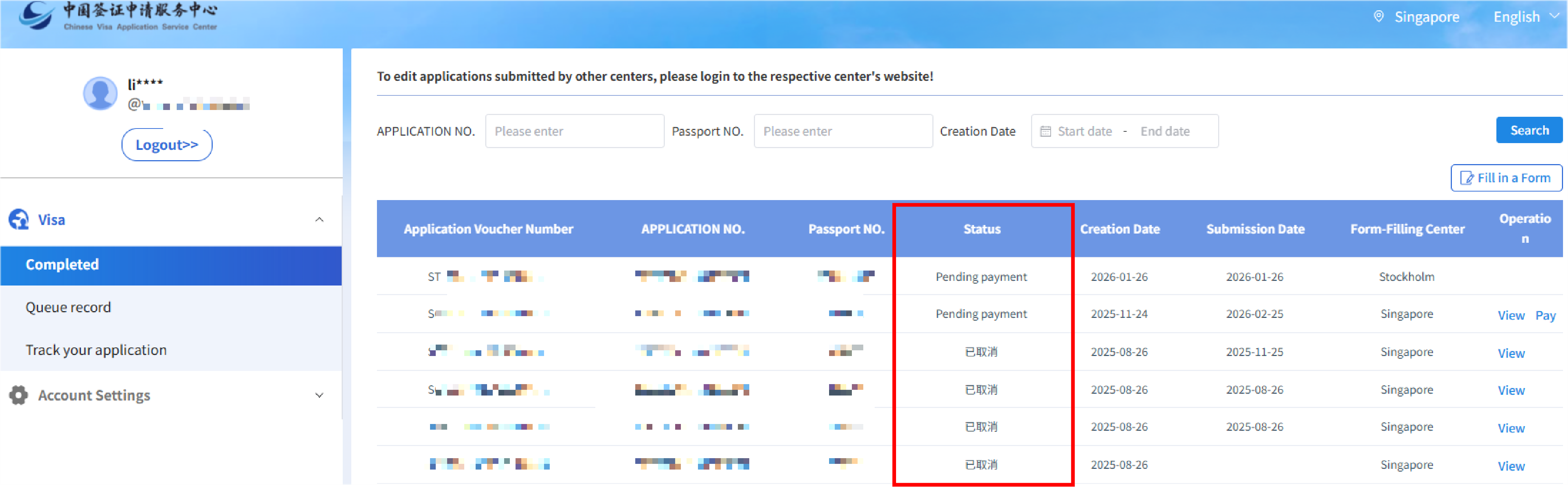
5. After logging in your account, the page displays the list of applications that have been filled out under this account.
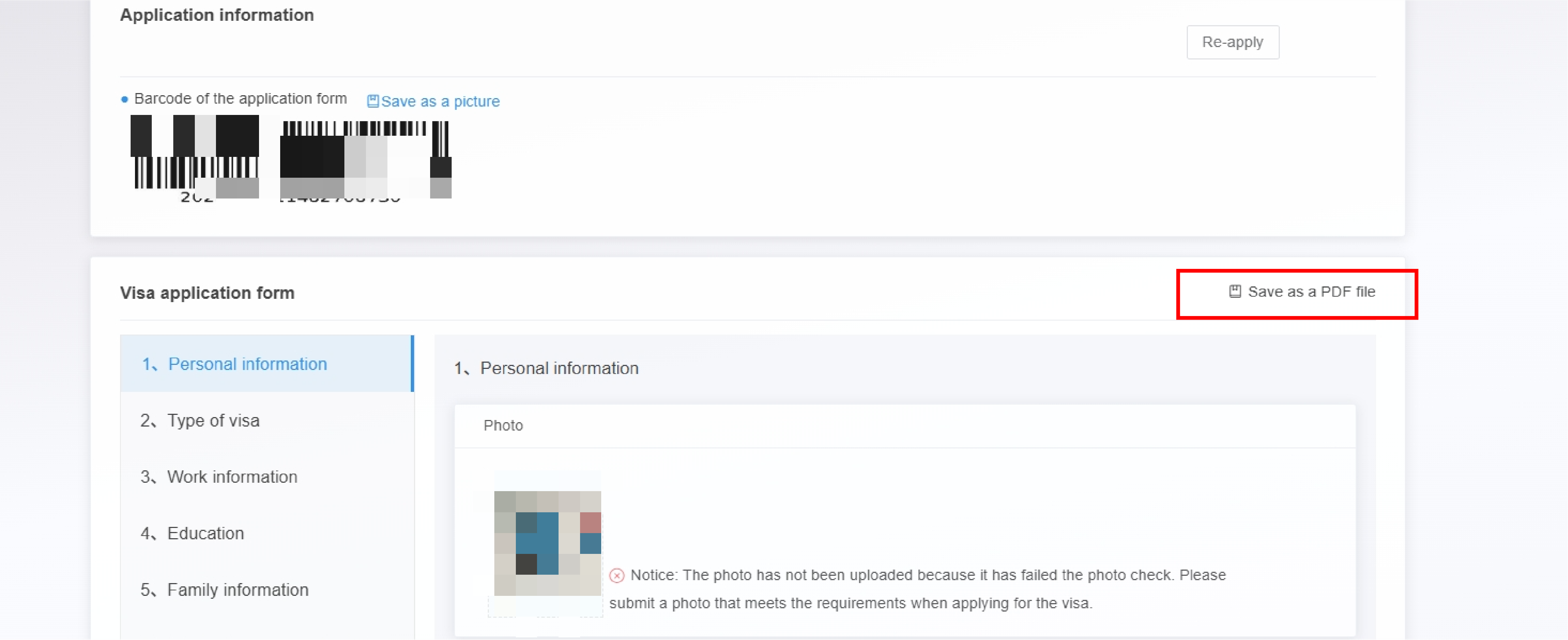
6. Click View button to display the application information page. Then click Save as a PDF file to download the filled out application form.
7. If the page does not display fully, you can move the mouse to the bottom of the list and scroll to the right.