

 Application form
 Appointment
- Contact Us
- Help by E-MAIL
- COPYRIGHT ©2023CVASC, ALL RIGHTS RESERVED
There is a pending application and cannot complete the form?
2026-03-03

If you are prompted that there is a pending application when filling out the form, it may be due to the following reasons:
Reason 1: You may have already filled out the form but not yet successfully submitted it. You can continue to fill out the original form. The steps are as follows:
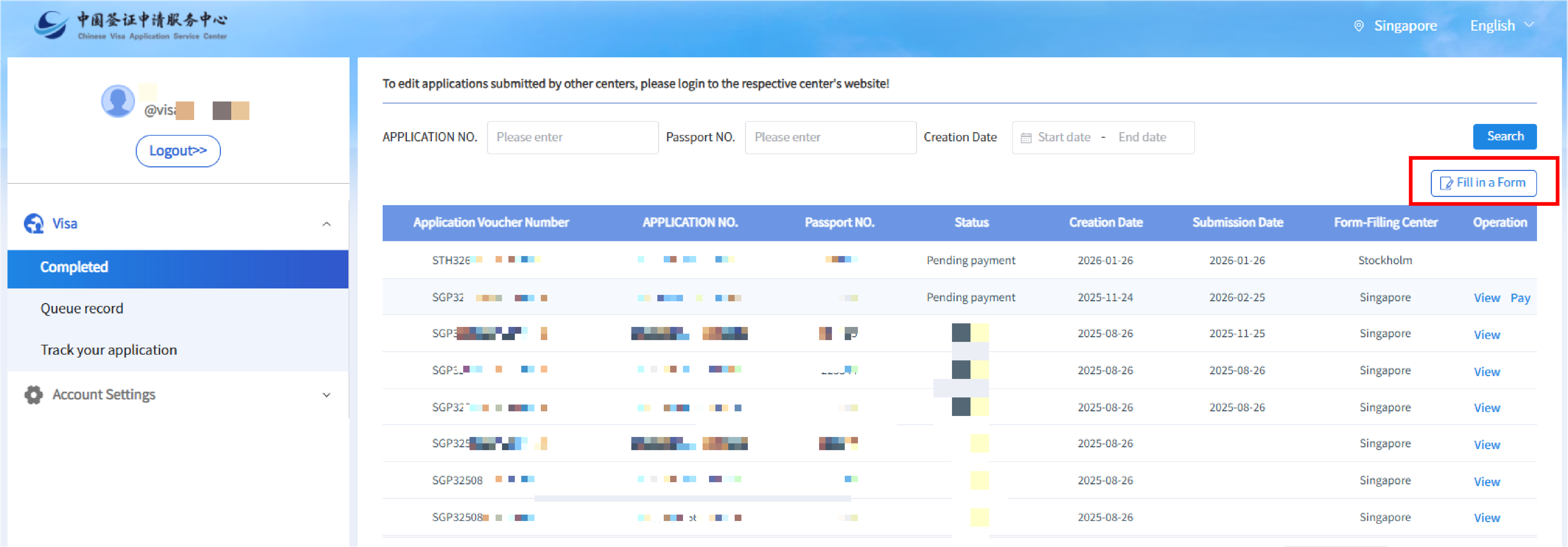
1. After logging into your account, click "My account", the page will display applications that you have already filled out or are pending payment for. Click "Fill in a form". The page will prompt you to confirm that the submission center is "Singapore". If so, click "Confirm".

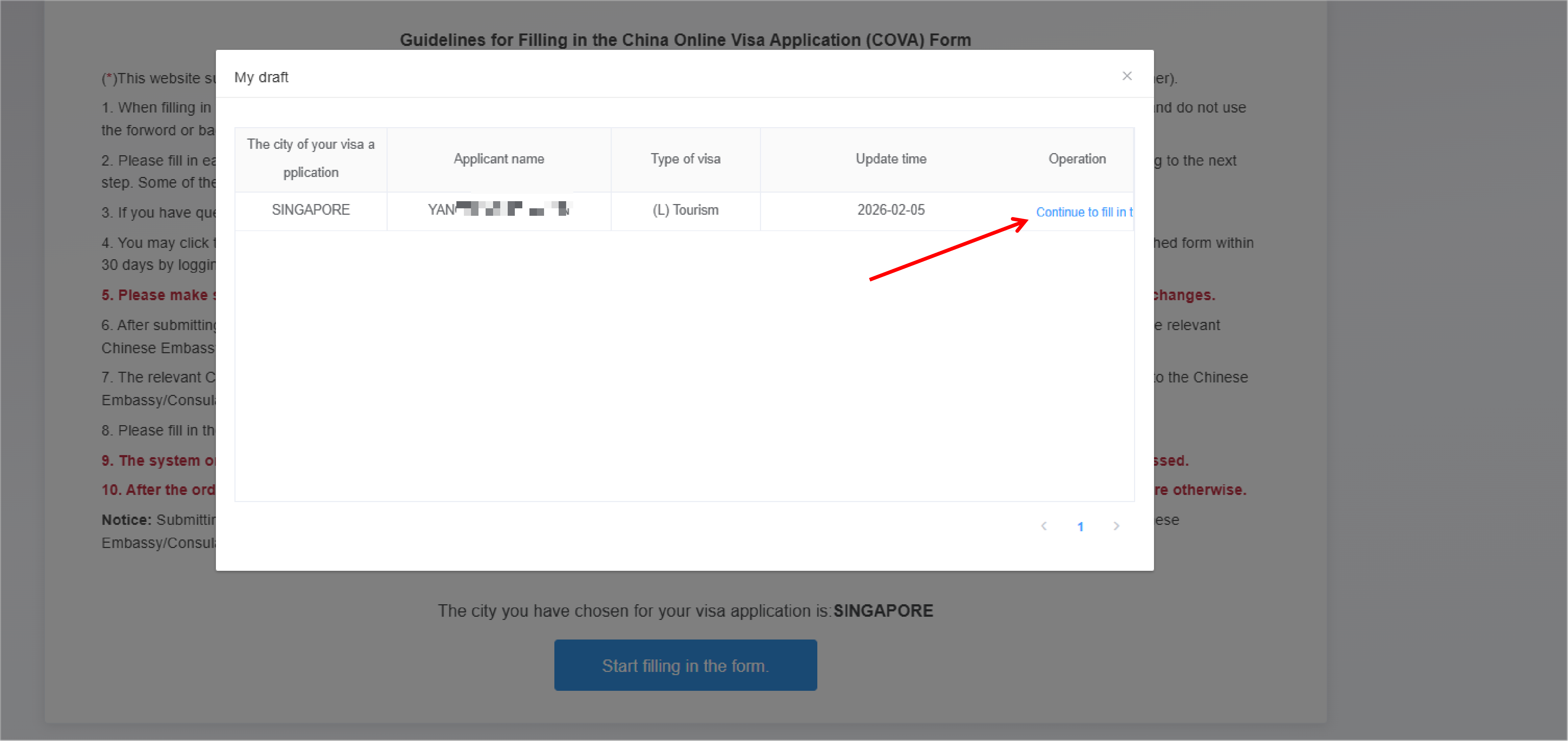
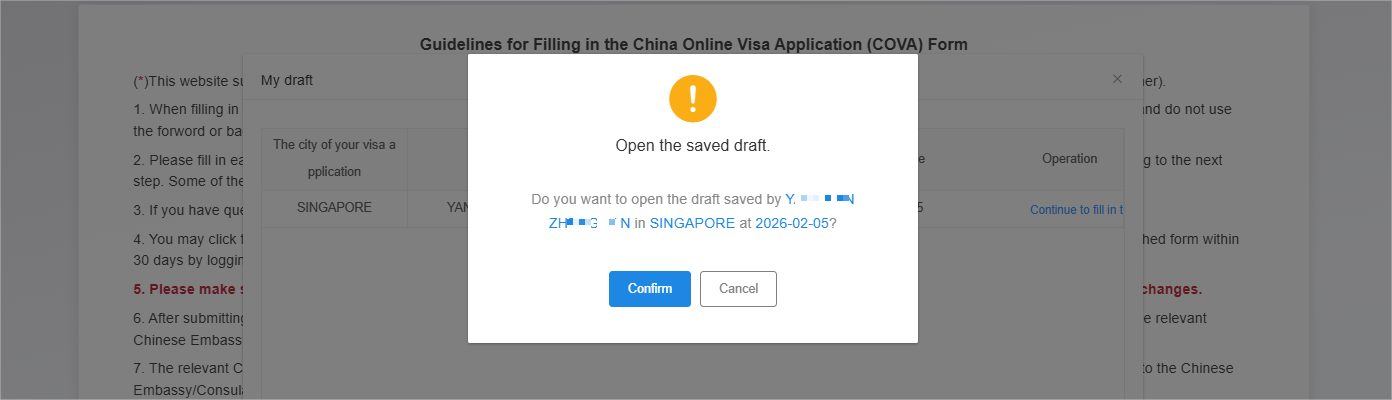
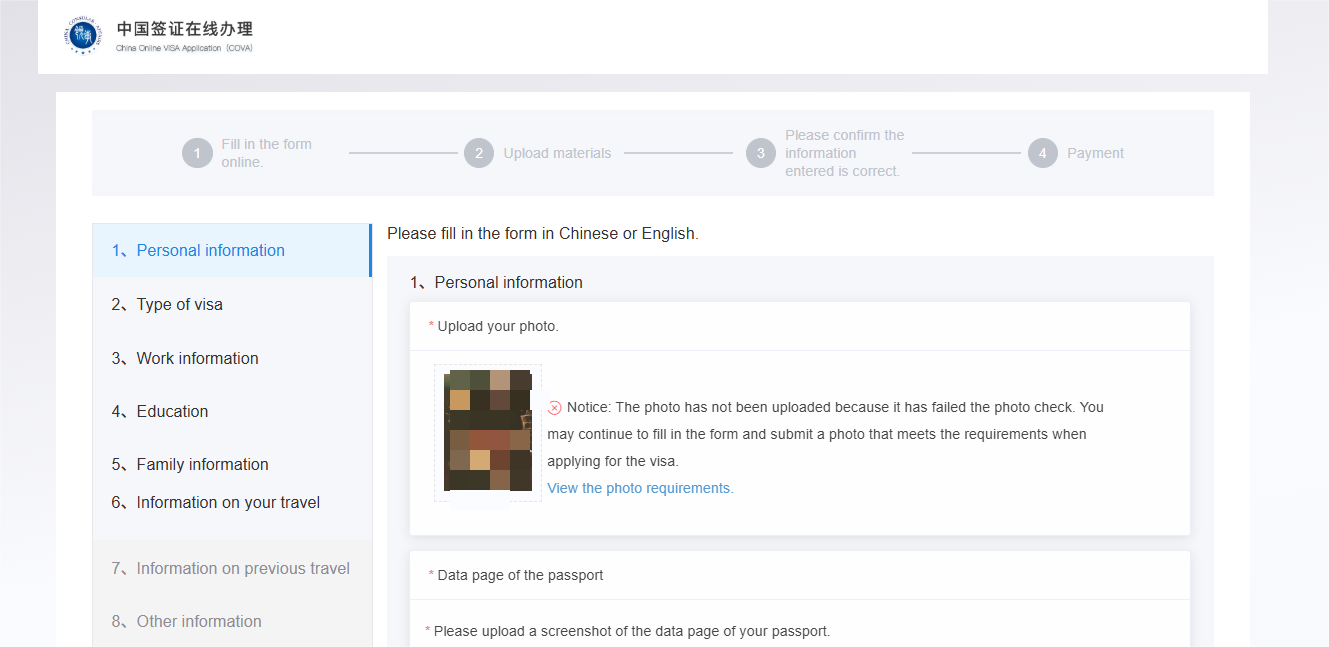
2. Wait a few seconds. The page will display your previously saved but incomplete application. Click "Continue to fill in the form" and confirm to continue to open the saved draft.
Reason 2: You may have submitted an application at another center that has not yet been completed. You must cancel that application before you can fill out the form at Singapore center. To cancel an online application submission, please click how to cancel an application submitted online.